
A shape for the occasion.
Design cookie-cutter outlines and decorative stamp patterns to your own dimensions. For food use, confirm the finished tool's material and production process are suitable.
Design a custom cookie cutter →Your shape. Your size. Your details. Turn an idea into a custom cutter or stamp for baking, pottery or clay crafts—without building the model from scratch. Export a file for your 3D printer or printing service.
Sign in for three trial exports. No card required.
You arrange and pay for 3D printing separately.
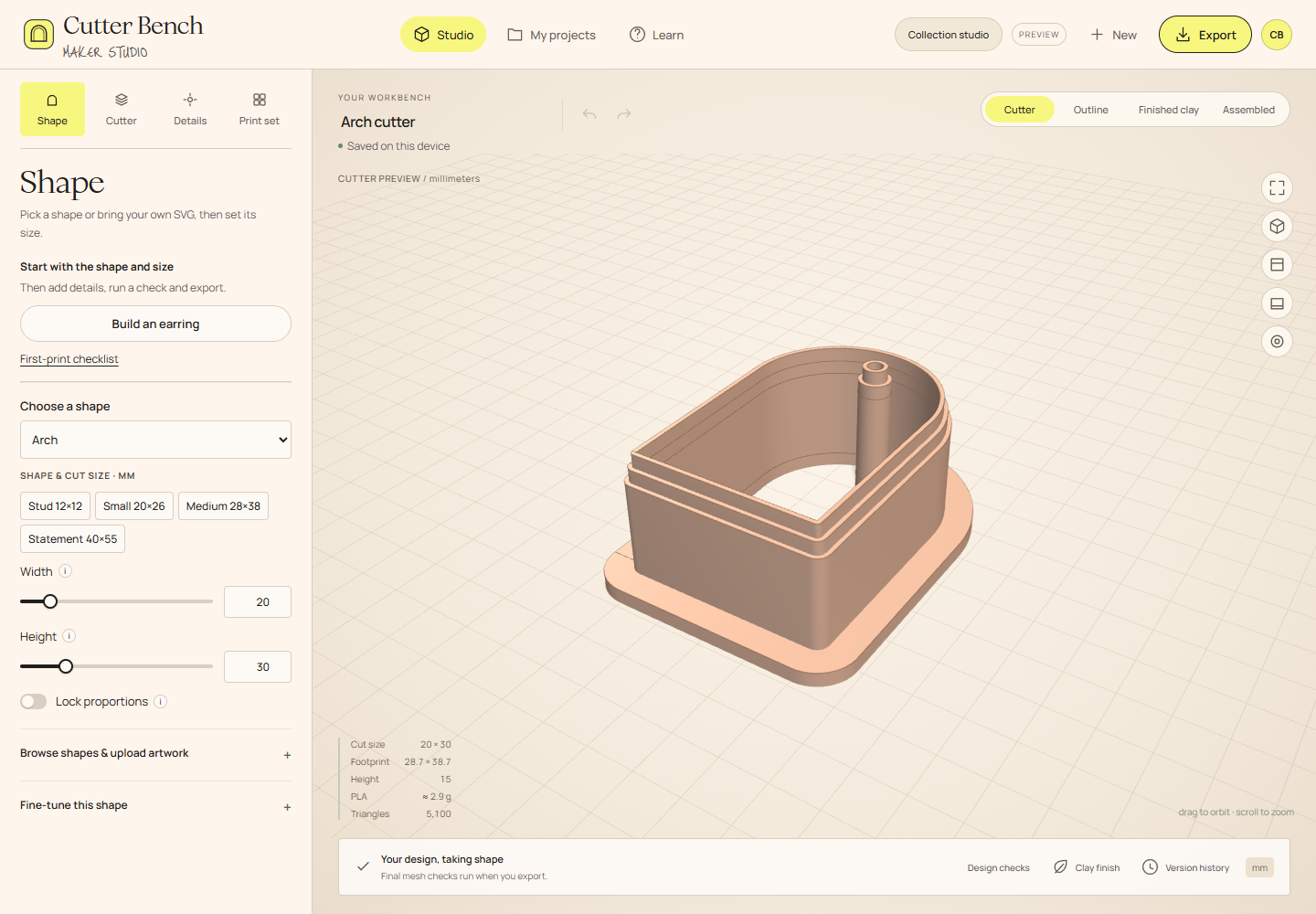
Try a shape and adjust its width. Open the studio to design it in 3D.
One design studio. Different materials, different ideas.
Design cookie-cutter outlines and decorative stamp patterns to your own dimensions. For food use, confirm the finished tool's material and production process are suitable.
Design a custom cookie cutter →Turn outlined artwork into a stamp pattern. Preview the relief and check the impression's orientation before making a test tool.
Plan a custom stamp →Create original shapes, mirrored pairs and stamp details. Studio adds linked sizes and tools for arranging a batch.
Design polymer clay cutters →Choose what cuts, what stamps and how big it should be. Preview the tool, export it and use the included checklist to prepare your first test print.
Choose a shape, upload an SVG, or turn a clear image into an outline. Set the width and height in millimetres.
Choose a cutter or stamp. Add impressions and holes, then inspect the tool in 3D. Review which openings should cut through.
Download an STL or 3MF file for your printer or printing service. Make a test print before starting a batch.
Make the shape you need today. Reuse your designs and add production tools as your work grows.
Custom shapes, stamp patterns, holes and saved projects. Adjust the design instead of starting over. Sell work made from your own designs.
Update linked sizes together, reuse collections, set batch quantities and plan a print plate. Add matched bezel and inlay sets.
Start with three trial exports. Choose monthly or yearly access when you need more.
Get the design file, keep an editable backup and know what to check before printing. Open the first-print checklist ↗
Make something of your own before deciding.
Three trial exports with your free account.
No card required.
For individual cutters, stamps and everyday design work.
For collections, size variations and batch production.
— · one payment
20 memberships total across all regions. One named user per membership, with Studio features and future improvements to those features for the operating lifetime of Cutter Bench.
Separately priced future services, including outsourced printing, are not included. There is no recurring subscription fee for this membership.
Checking available places…
Get Founding StudioBoth paid plans include commercial use: sell finished work, printed cutters, stamps and files created from designs you own or have permission to use. Supplied artwork may carry separate terms.
Design a cookie cutter, a pottery stamp or a set of polymer clay shapes in the same browser studio. Set dimensions in millimetres and export STL or 3MF files. Start with three trial exports; arrange physical printing separately.
Yes. Choose stamp mode to create a tool that presses a pattern. With SVG artwork, you can preserve drawn details as stamp ridges or outline openings. For cutters with internal details, choose which regions cut through.
An SVG describes artwork, not its intended use. Review the shape and choose which details should cut or stamp. Convert text and effects to plain paths first. Thin lines may need a larger design or a simpler shape to print well.
Yes. Cutter Bench supplies design files, not certified food-contact products. Confirm suitable materials, manufacturing and cleaning with your print provider before using a finished tool with food.
You choose whether to buy a plan when you need more exports. The free trial requires no card and does not automatically become a paid subscription. Keep downloaded files and project backups for your records.
No. You can send an exported STL or 3MF to a printing service. Ask for a quote and a small test print first; minimum order charges and delivery vary.
Choose Maker for individual cutters, stamps and simple earring pairs. Choose Studio if you need linked sizes, reusable collections, batch layouts or multi-part earrings. Both paid plans allow commercial use of your own designs.
Your plan starts once payment is confirmed. Available payment methods and renewal details are shown at checkout. Manual transfers are reviewed before access starts.
No. Checks help identify geometry issues, but your printer, settings and material affect the result. Review the sliced layers and print a test piece before production.
Founding Studio is a one-time purchase limited to 20 places across all regions, subject to availability above. After payment is verified, your account provides an activation link and backup code. Activate it on the account used to buy.
Yes. Maker and Studio are available monthly or yearly. Your checkout shows the payment method, total and renewal terms before you pay. You can also start with three trial exports.
3 min read
3 min read
3 min read